

Workflow automation & integrations
Connect the tools.
Keep the context.
Connect the steps your team repeats every day. Make the handoff useful, keep exceptions visible, and give someone ownership when a connection fails.
Discuss your projectStart with the
part that gets stuck.
An enquiry arrives in one tool, the team copies it into another, and follow-up depends on somebody remembering. Automations exist, but nobody knows whether the last one actually worked.
A focused API connection or repeatable workflow.
Validation, duplicate protection and appropriate retry behavior.
Visible failure handling, ownership and operating notes.
Vendor API access, usage fees and regional availability need confirmation. AI decisions require agreed limits and review points; not every exception should be automated.
Price and timeline.
One scoped connection with exception handling and a clear owner. Third-party subscriptions and usage are listed separately from development. The exact price is agreed in a written scope before work begins.
Industries we focus on: Roofing · HVAC · Plumbing · Electrical · Landscaping · Pest control · Med spas · Dental · Clinics
See the thinking
in a working concept.
PracticeFlow illustrates interface and workflow decisions. It is an original concept, not a claim of client results.
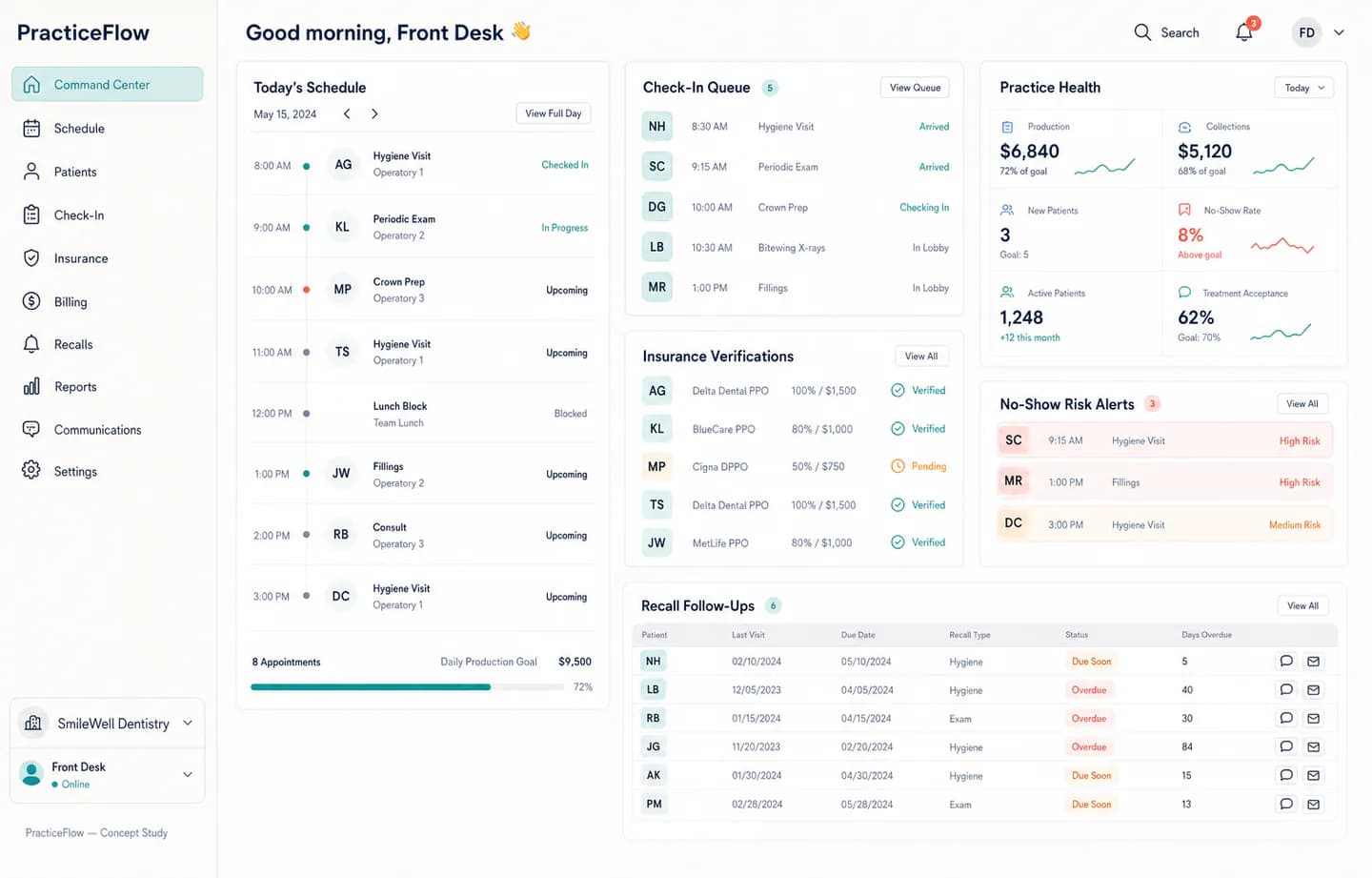 Read the PracticeFlow design study ↗
Before we start.
Can you connect any two tools?
It depends on their APIs, permissions and commercial terms. We verify access before promising a connection.
What happens when an integration fails?
The design includes an agreed retry or recovery path and a clear owner. We test failures as well as successful requests.
Does this include AI calling?
AI receptionist pilots have a dedicated call-recovery scope. We check the calling setup, approved knowledge, handoff rules and readiness before activation.
Where work gets stuck.
Start with the symptom your team sees, then inspect the workflow behind it.
Bring the current situation.
A short conversation to understand the need, the constraints and the next useful step.